Table of Contents
Appendices
A. Glossary
| Term | Definition |
|---|---|
| Availability | OEE factor: running time / (running time + unplanned downtime) |
| Bottleneck | The process stage whose throughput limits the whole line |
| Changeover | Setup/product-change phase before a production run |
| Cycle station | Machine monitored via energy-based cycle detection [PBX] |
| Defect / Reject | Part not meeting quality requirements; counted by the reject stage or corrected manually |
| Downtime reason | Category + reason classifying a Down period |
| Draining | Run-out phase: input stopped, line runs empty |
| Entitlement | A licensed feature on the Pinetek license (Core, Cloud Backup, AI Chat, SMTP) |
| Ideal cycle time | Theoretical time to produce one unit at full speed; basis of Performance |
| OEE | Overall Equipment Effectiveness = Availability × Performance × Quality |
| Pareto analysis | Ranking of causes by impact with cumulative percentage |
| Performance | OEE factor: (ideal cycle time × actual quantity) / running time |
| Pinebox | Pinetek field data-acquisition device; source of all machine signals [PBX] |
| Process stage | One counting point of the line, with role Input/Output/Defect/Intermediate |
| Product | Produced article, linked to a program, with part number and ideal cycle time |
| Production run | Continuous production of one product; unit of OEE calculation |
| Program | Line configuration: stages, counters, sensors, takt, detection parameters |
| Quality | OEE factor: good quantity / actual quantity |
| Scrap rate | Defect quantity / actual quantity |
| State event | Stored record of one contiguous period in a production state |
| Takt | Measured cycle/interval time from a Pinebox timer [PBX] |
| Target quantity | Planned quantity of a run, entered at changeover |
| Units per count | Multiplier from counter ticks to units (e.g. one tick = pack of 6) |
B. State reference
| State | Color | Entered by | Left by | OEE effect |
|---|---|---|---|---|
| Stopped | grey | Run end, drain complete | Start Changeover | outside any run |
| Changeover | purple | Start Changeover button | counting starts | not an availability loss |
| Running | green | counting detected | stall, slow-down, operator action | running time |
| Running Slow | orange | throughput drop | recovery or stall | running time; reduces Performance |
| Down | red | stage counter timeout | counting resumes | unplanned downtime, reduces Availability; reason required |
| Planned Stop | yellow | operator action | Resume button | planned; no Availability loss |
| Draining | blue | Drain Line button | output counter timeout → run ends | not an availability loss |
C. Roles and permissions matrix
| Function | Basic | Operator | Supervisor | Admin |
|---|---|---|---|---|
| Scoreboard | ✓ | ✓ | ✓ | ✓ |
| Production Timeline (run control, downtime reasons) | – | ✓ | ✓ | ✓ |
| Live Bottleneck Analysis | – | ✓ | ✓ | ✓ |
| Notifications | – | ✓ | ✓ | ✓ |
| Analysis (OEE History, Production, Bottleneck History, Downtime Pareto) | – | – | ✓ | ✓ |
| AI Assistant | – | – | ✓ | ✓ |
| Line Config (Program, Product, Counters, Cycle Stations, Sensors, Takt, Downtime) | – | – | ✓ | ✓ |
| System configuration, Backup, Users, SMTP, Version, License | – | – | – | ✓ |
| Reports (Templates, Blocks, Layout) | – | – | – | ✓ |
D. Technical data
| Item | Value |
|---|---|
| Web interface | http://<device-ip>:8000 |
| Supported browsers | current Chrome, Edge, Firefox |
| Pinebox data services | port 18080 (counters, timers, cycles) [PBX] |
| Update manager | port 18090 |
| Database | MariaDB, local on the device |
| Timestamps | stored in UTC, displayed in the configured timezone |
| Languages | English, German (system-wide, incl. reports) |
| Report output | PDF (A4), optional e-mail dispatch via SMTP |
| Data export | Excel (.xlsx) from analysis tables |
| License check | Pinetek license server, once per 24 h, cached locally |
E. Contact and support
Supplier information
Pinetek Networks GmbH
Bachstelzenweg 8
DE-88677 Markdorf
www.pinetek-networks.com
info@pinetek-networks.com
Data privacy
The device does not collect, store, or transmit data outside of the physical device, unless the user programs the device accordingly (AI feature, online backup, email; see sections in this manual).
Support
Support for CedarInsight is available through multiple channels:
- The Pinetek Knowledge Base (online manuals): doc.pinetek-networks.com
- Latest firmware, PDF manuals and other information: download.pinetek-networks.com/cedar-insight
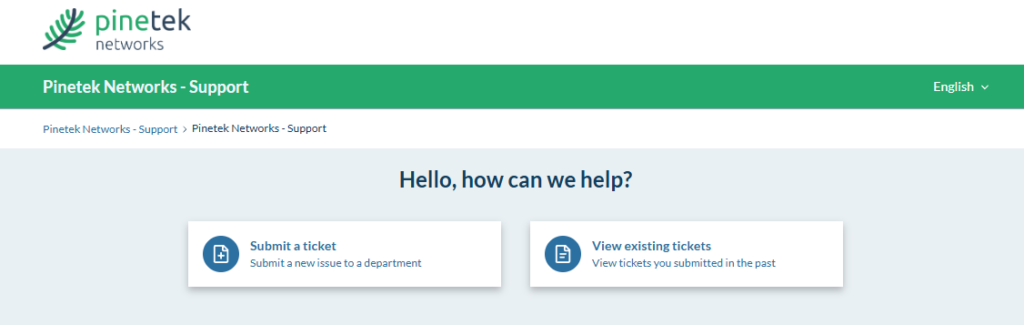
For individual support, please use our support portal: support.pinetek-networks.com