Table of Contents
5.1 Node-RED – Exchange Process Data
This section is about exchanging process data with an IO-Link device using Node-RED. The target is the creation of a specific Node-RED node for a write-read cycle.
Starting point is the configuration web interface. If a parameter is readable (Read only, Read/Write), the Node-RED node creation link is shown at the variable in the “Parameter section:
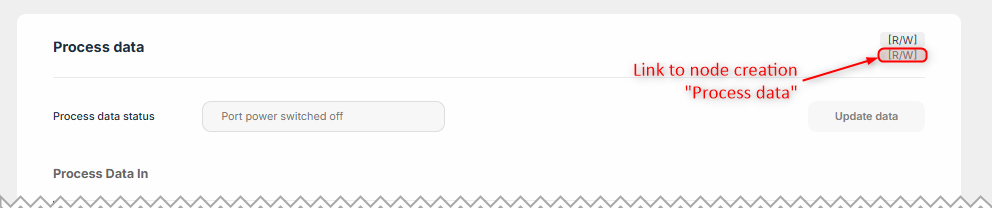 |
In the new tab that opens, click on “Copy to clipboard”:
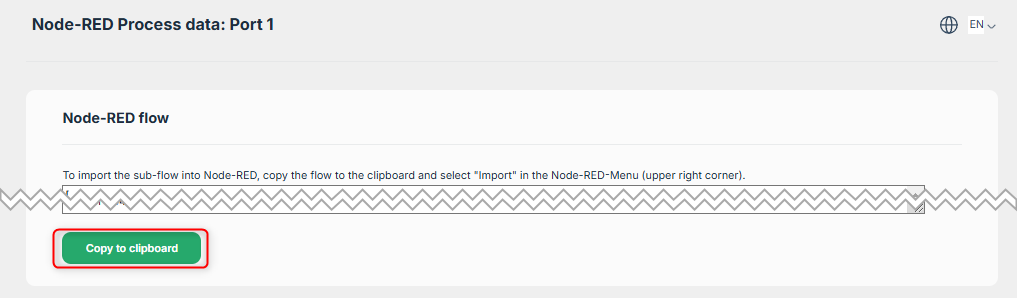 |
In the Node-RED Flows Workspace, import the node (ether with the menu or CTRL-I).
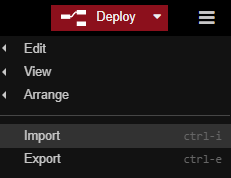 |
Paste the content of the clipboard to the node/flow JSON box:
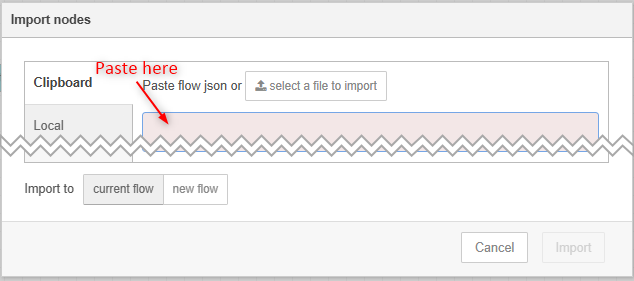 |
The specific node is the imported into Node-RED. It splits into two sections:
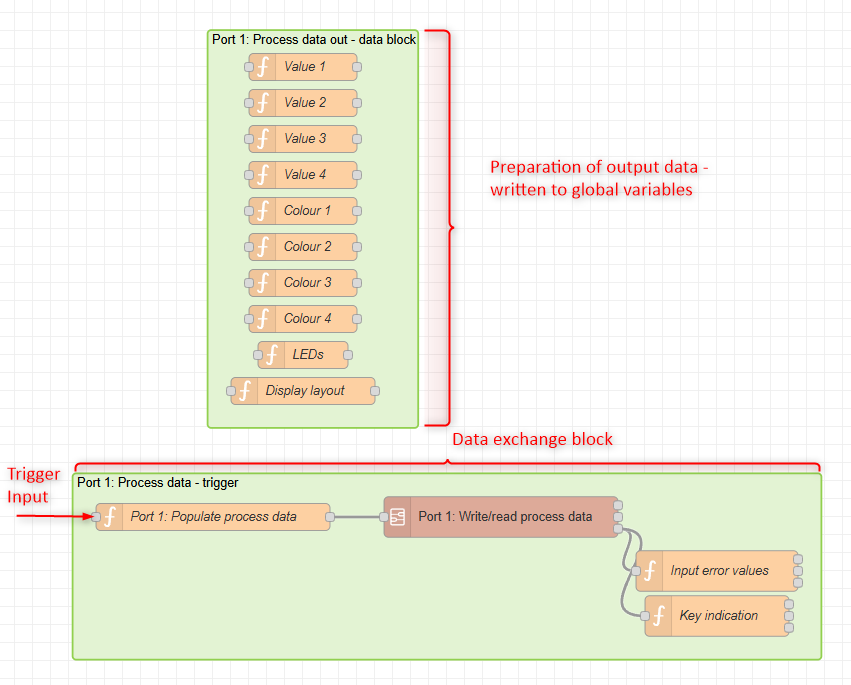 |
Preparation of output data
This block holds data that is written to the connected device. The data is stored in global variables. It can be set at any time by writing a message with the payload value to the single nodes:
 |
Data exchange block
This block is triggered by the trigger input. The trigger input does not require a specific payload. The data to transfer is populated from the global data in the “Populate process data” node. The Write/read process data node provides the following output:
 |
- The Error Number and Error Text hold the error number (see https://www.pinetek-networks.com/knowledge-base/pinebox/10-appendix/appendix-error-codes/)
- The data is a data array with all read data from the device. It will be processed for each input variable. The output of the single process data variables is structured as follows for each variable:
 |
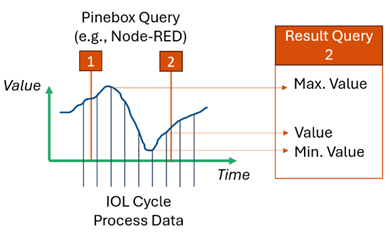
- The Value is the last read value from the device
- The Min./Max. values are the values received by the Pinebox since the last Write/Read process data block execution. Note that the Pinebox can hold up to 255 cycle data values.
 |