
Table of Contents
2.2 Jumper settings
Power selection
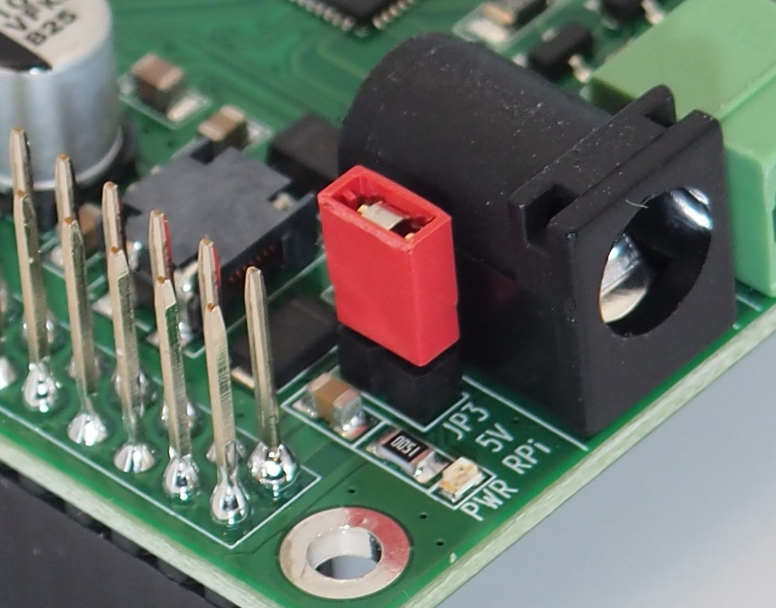
The IOL HAT Pro generates 5V out of the 24V input provided on X5/X6. The Jumper JP1 selects if the 5V are forwarded to the Raspberry Pi on Pin 2 and Pin 4 of the 40-pin GPIO connector. Setting the jumper will power the Raspberry Pi from the IOL HAT.
Do not power the Raspberry Pi by setting the Jumper JP3 and power the Raspberry Pi at the same time through another source (e.g., USB-C on the Raspberry Pi, another IOL HAT, or any other power supply HAT). Powering from more than one source may lead to overheating or damaging the sources or the Raspberry Pi.
Only use the red jumper from the scope of delivery to connect JP3. Other jumpers may have lower power rating and lead to malfunction or overheat.
Port selection
The IOL ports 1+2 or 3+4 are selected via jumper JP1. The ports 1+2 and 3+4 operate on different Chip Select (CS) signals and interrupt lines.
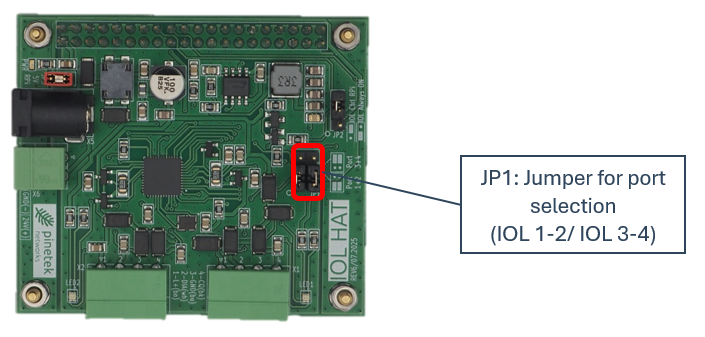
The following positions select the corresponding SDCI port:
| Use IOL Port 1+2 | Use IOL Port 3+4 |
|---|---|
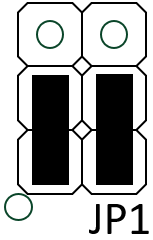 | 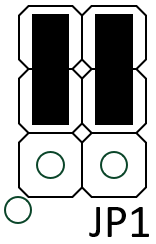 |
Jumper positions other than those shown are not valid.
If the devices are stacked, ensure that one device uses IOL Port 1+2 and the other uses IOL Port 3+4. Otherwise communication with the ports will not be possible.
IOL enable selection
The MAX14819 can be selected to be always enabled (enabled as soon as 24V power is applied) or to be controlled over a Raspberry Pi GPIO output pin. The Raspberry Pi control allows for a hard reset during runtime, which is especially useful when the Raspberry Pi is powered through the IOL HAT.
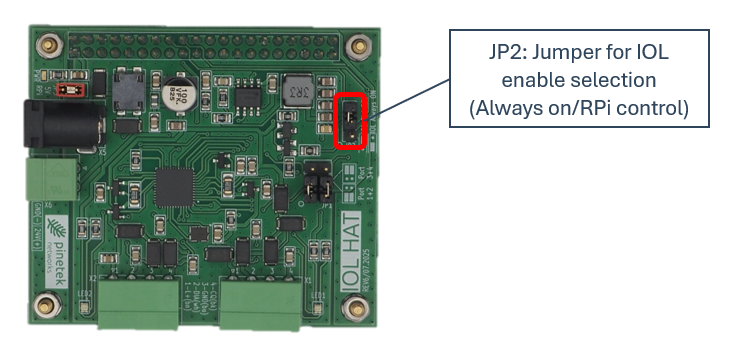
The following selections are possible.
| IOL/MAX14819 always enabled | IOL/MAX14819 controlled over Raspberry Pi |
|---|---|
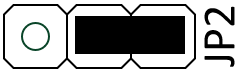 | 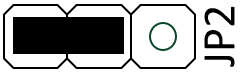 |
The behavior of not setting the JP2 is not defined.