
2.6 Forward data to the SQLite database
Now, we can forward the data to the integrated SQLite database.
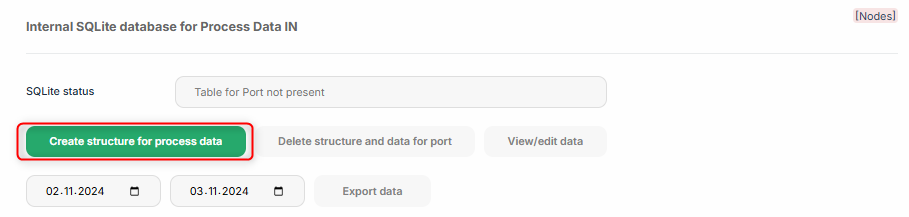
First the structure for the process data needs to be created in the internal SQLite database. This can be easily done over the port page in the process data section:
 |
After this, the structure can be verified in the integrated SQLite frontend. There are two ways to access the frontend:
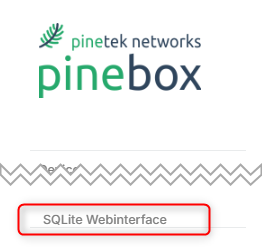
1. Over the main menu on the left:
 |
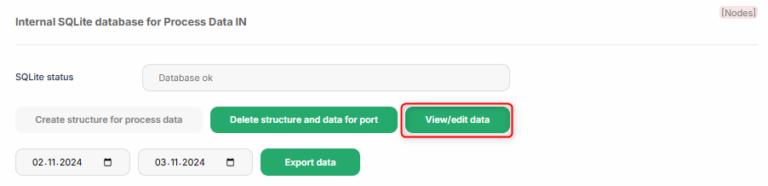
2. Over the “View/edit data” button at the process data:
 |
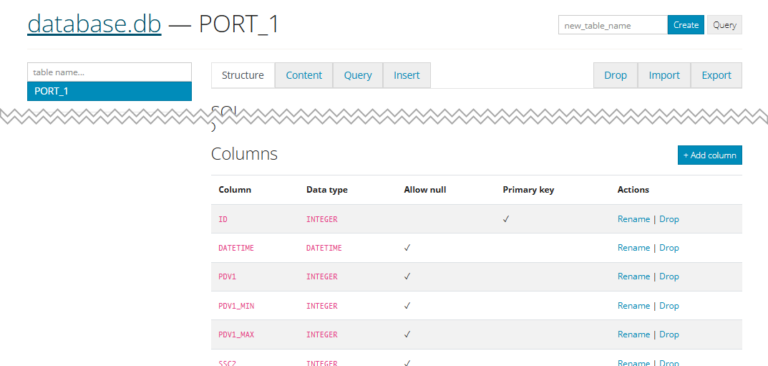
In the front end, the data structure is shown as columns:
 |
To forward data to the sqLite database in Node-RED, the corresponding node needs to be created:
 |
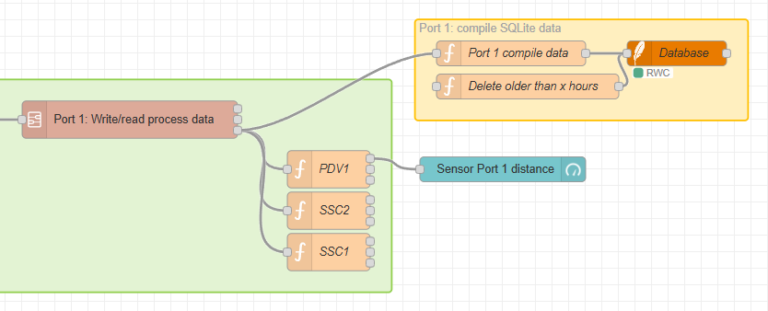
Copy the content (similar to 2.4 Add device process data to Node-RED) and import it to Node-RED (also as described in 2.4 Add device process data to Node-RED). The result will be a node group from SQLite data, that needs to be directly connected to the “value” output of the “Write/read process data” flow:
 |
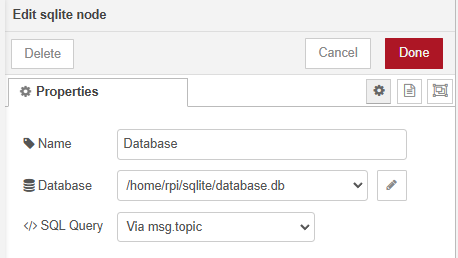
Before deploying the nodes, the path to the SQLite database requires to be confirmed. To do so, double-click on the “Database” node and confirm by “Done” (you do not need to edit any content of the node):
 |
Hit the “Deploy”-Button to enable the changes:
 |
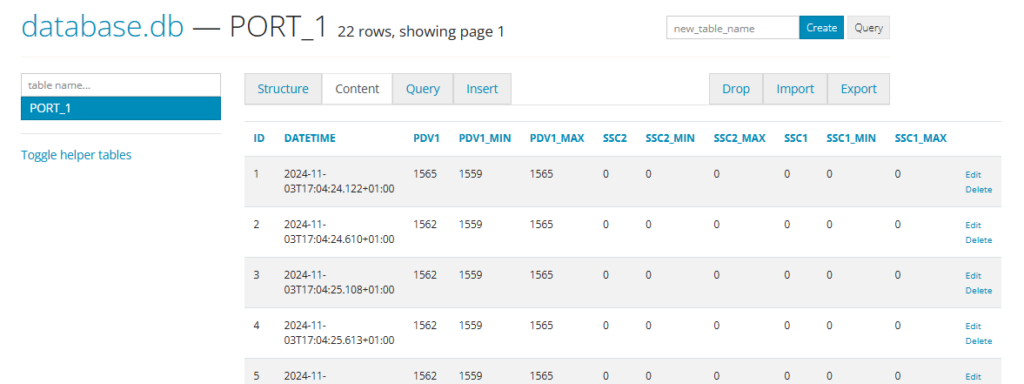
To view the process data in the SQLite frontend, select “Content” in the tabs of the SQLite page of the table that corrensponds to the port (in this example the table is “PORT_1”):
 |
Well done! Your data is now stored in the internal database for further processing.